
Flutterでボタンを自作する

おもったより簡単のようです。
目次
普通のボタンだと
iPhoneのSimulatorだと以下のような動作です。
- クリックすると波紋のアニメーションが付与されている
- ボタンを離した瞬間に反応する
要求
- 押下した瞬間に反応するボタンが欲しい。
- リップル効果(波紋のアニメーション)は不要。
自作ボタン2種類
ボタンカスタマイズには、「GestureDetector」か「InkWell」が使えそうです。
GestureDetector
onTapDownプロパティを実装できる。
Widgetを子に持てる。ContainerでもTextでもクリックに対応できる。
InkWell
リップル効果が付いています。
Material、Inkで括られるのが基本。
GestureDetectorの使い方
押下時に反応するボタン
今回の要求ではGestureDetectorがマッチしていますね。
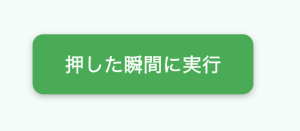
Containerをボタンとしてみます。適当に装飾します。
Dart
estureDetector(
  onTapDown: (details) {
    // なにか処理
    _incrementTapCount();
  },
  child: Container(
    padding: .symmetric(horizontal: 30, vertical: 15),
    decoration: BoxDecoration(
      color: Colors.green,
      borderRadius: .circular(10),
      boxShadow: [
        BoxShadow(
          color: Colors.black26,
          offset: Offset(0, 2),
          blurRadius: 4,
        ),
      ],
    ),
    child: Text(
      '押した瞬間に実行',
      style: TextStyle(
        color: Colors.white,
        fontSize: 18,
        fontWeight: .bold,
      ),
    ),
  ),
);
押下時にボタンカラーの変更
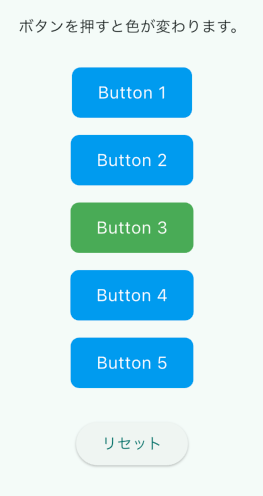
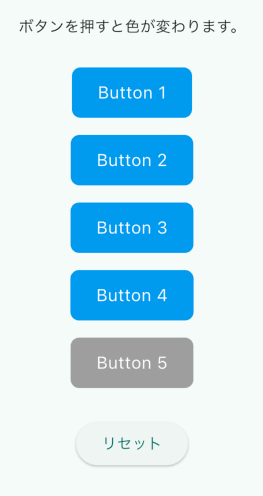
ボタンを押すとボタンの色が変わります。
3番を押した時だけ緑色になります。
Dart
// てきとうなリスト
final List<int> _myList = const [1, 2, 3, 4, 5];

// ボタンをクリックしたら緑色にする番号
final int correctNo = 3;

// タップされたボタンの番号を保持
int? _tappedNumber;ボタン群。Columnあたりに展開しましょう。
Dart
..._myList.map(
  (myNumber) => Padding(
    padding: const .all(8.0),
    child: GestureDetector(
      onTapDown: (details) {
        _tappedNumber = myNumber;
        setState(() {});
      },
      child: Container(
        padding: const .symmetric(
          horizontal: 24,
          vertical: 12,
        ),
        decoration: BoxDecoration(
          color: _tappedNumber == myNumber
              ? (myNumber == correctNo ? Colors.green : Colors.grey)
              : Colors.blue,
          borderRadius: .circular(8),
        ),
        child: Text(
          'Button $myNumber',
          style: const TextStyle(color: Colors.white, fontSize: 16),
        ),
      ),
    ),
  ),
),Dart
// reset button
ElevatedButton(
  onPressed: () {
    setState(() {
      _tappedNumber = null;
    });
  },
  child: const Text('リセット'),
),3番のボタンを押した時は緑色に変わります。それ以外は灰色になります。
おわり